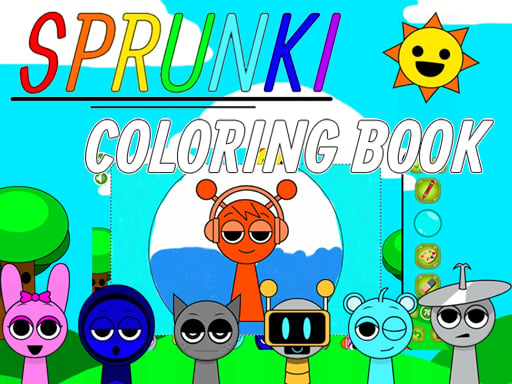
What is this game about?
It is a coloring activity featuring block inspired character pictures.
Color blocky character pictures in BTS Minecraft Coloring Time. Choose a drawing, select colors with the mouse and experiment with a palette that makes the picture your own.

BTS Minecraft Coloring Time
BTS Minecraft Coloring Time is a browser coloring activity built around blocky character artwork. Its opening menu shows a character holding a paintbrush and an easel, making the creative focus clear before you begin. You choose a picture and use the mouse to apply color through the game's tools. The objective is to develop an image you like rather than race another player. The block inspired theme supplies recognizable shapes, while your choices determine how the finished drawing feels.
Start by looking at the available pictures and selecting one whose shapes are easy to read. A drawing with a large main character gives you several clear areas to work on, such as clothing, hair and the surrounding objects. Before coloring every detail, decide which part of the image should attract attention first. That decision can guide your palette. A bright shirt may become the focal point, while a quieter background keeps the figure easy to distinguish. You can also choose a deliberately unusual combination simply to see how it changes the mood.
The mouse is the listed input for this edition. Use the visible color choices and follow the game's painting response to learn how an area receives color. Begin with one clearly bounded section so you can judge the tool before working on a smaller detail. If the interface offers different drawing or correction tools, read the symbols and test them on a part of the picture you are comfortable changing. The useful first goal is understanding the current tool, not finishing the whole image as quickly as possible.
A limited palette is a practical way to give a picture a consistent look. Choose a few colors that work together and repeat one of them in different parts of the drawing. For example, an accent used on a small object can echo a color in the character's clothing. This is a suggestion for composing the image rather than a scoring rule. There is no need to copy the menu artwork exactly. The same line drawing can support a familiar appearance, an unexpected recoloring or a simple study using only a handful of shades.
Large shapes are often easier to handle before small ones. Establish the main colors first, then look at the details that separate neighboring areas. This order helps you see whether the figure remains clear at a glance. If two touching sections seem to blend together, try increasing their contrast rather than adding more unrelated colors everywhere. A change in one area can be enough to improve the whole picture. Step back mentally from the detail you are editing and check the relationship between the main shapes.
Coloring also gives you room to experiment with a theme. You might imagine the character in a forest, a warm sunset or a cool night scene, then choose colors that suggest that setting. The drawing does not have to contain a detailed background for the palette to communicate an idea. Warm oranges and yellows create a different impression from blue and purple. Treat the game as a small visual experiment: make one clear choice, see its effect, and decide whether the next choice should support it or provide contrast.
When a section feels wrong, identify the reason before changing everything. The issue may be that the color is too similar to its neighbor, too dominant for the role of that object, or simply different from the mood you intended. Adjusting one area is a useful way to compare alternatives. If you want to start a new picture, use the game's own navigation controls and check any prompt before leaving the current work. Features for keeping or exporting an image depend on the available interface, so use only the options actually shown.
BTS Minecraft Coloring Time suits a relaxed creative session with a clear visual starting point. The blocky artwork gives you a structure, and the palette lets you change its character without needing to draw every outline yourself. Begin with the largest area, build a small set of related colors and refine the details once the main picture reads well. You can finish with a familiar looking character or an entirely personal variation. The value of the session is the sequence of color decisions and the visible image those decisions gradually produce.
It is a coloring activity featuring block inspired character pictures.
The listed control is the mouse. Select colors and use the tools displayed around the drawing.
You can experiment with your own palette. Start with a few related colors and adjust the picture until you like the result.