What is Sprunki Pyramixed Night Time - Play Online?
It is a fan-made character music mixer focused on a darker atmosphere.
Play Sprunki Pyramixed Night Time - Play Online online: arrange character loops and shape your own mix.
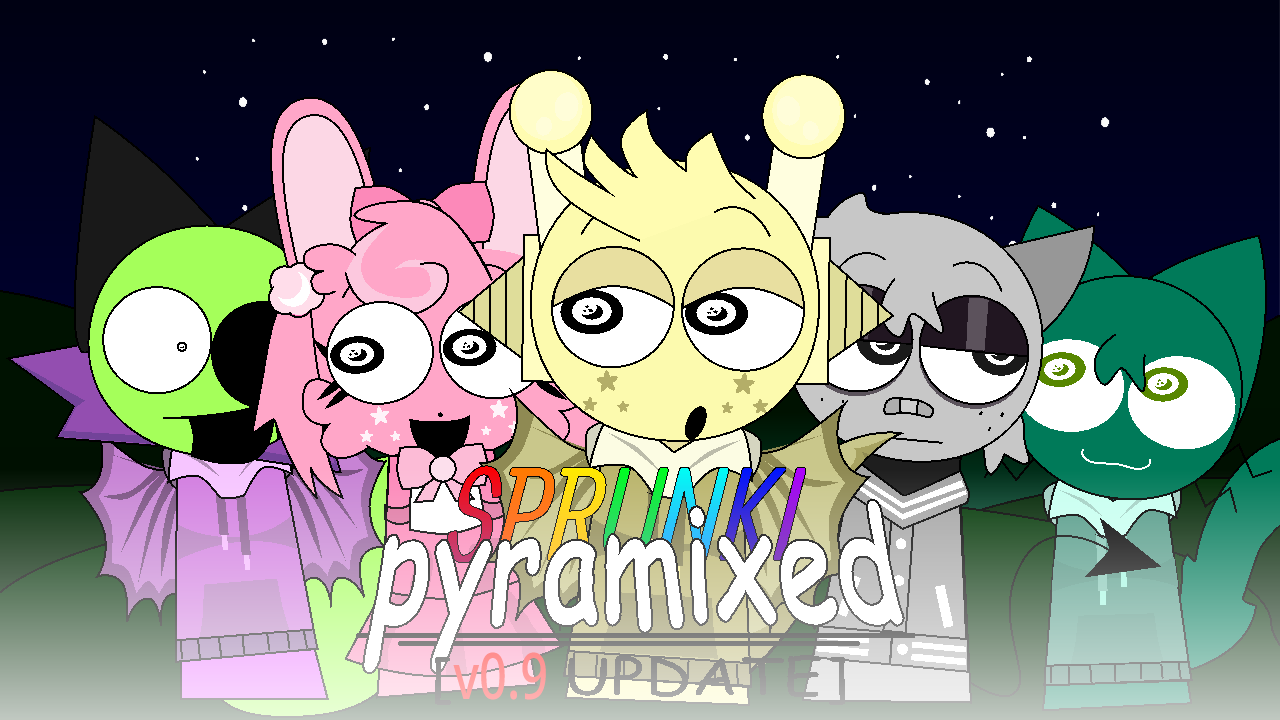
Sprunki Pyramixed Night Time - Play Online
Sprunki Pyramixed Night Time transforms the familiar Pyramixed music-mixing experience into a mysterious nocturnal soundscape. Combine shadowy characters, glowing animations, ambient melodies, deep beats, and unusual vocal effects to create your own nighttime mix.
Sprunki Pyramixed Night Time is a fan-made music-mixing experience that reimagines the world of Sprunki Pyramixed after darkness falls. The bright and energetic atmosphere of the original version is replaced by moonlit backgrounds, darker character designs, glowing visual effects, and a more mysterious collection of sounds.
The basic gameplay remains simple and creative. Choose different sound icons and place them onto the available characters. Every character introduces a unique musical element, including beats, melodies, vocals, effects, and atmospheric background loops. As more performers join the stage, the individual sounds combine into a complete nighttime composition.
The nighttime setting is more than a visual change. It influences the entire mood of the game. Characters appear under dim lighting, animations feel more dramatic, and the music focuses on deeper rhythms and dreamlike melodies.
Some combinations may sound calm and relaxing, while others can create an eerie or suspenseful atmosphere. The contrast between peaceful nighttime sounds and strange character effects gives every mix its own identity.
You do not need any previous music experience to play Sprunki Pyramixed Night Time. The drag-and-drop controls make it easy to experiment with different combinations. Start with a basic beat, add a melody, introduce a vocal layer, and then use effects to change the mood of the track.
There is no single correct way to build a song. You can create a slow ambient mix, a powerful rhythmic track, or a strange experimental composition. Remove characters, replace sounds, and rearrange your performers until the music matches the atmosphere you want.
Each character contributes a different sound and animation. Some performers provide the rhythmic foundation, while others add melodies, voices, textures, or unusual effects. A character that sounds simple alone may become much more interesting when combined with the right group.
Try placing characters in different orders and listen carefully to how their loops interact. Certain combinations can produce smoother transitions, stronger rhythms, or more mysterious soundscapes. Experimentation is one of the most important parts of the experience.
Sprunki Pyramixed Night Time balances creativity with atmosphere. The darker presentation gives the game a mysterious personality, but the open-ended music system still encourages relaxed experimentation. You can spend a few minutes creating a simple loop or continue adjusting the lineup until every sound works together.
The game is especially suitable for players who enjoy Sprunki mods with distinctive visual themes. Instead of focusing only on horror or intense transformations, this version uses nighttime colors and ambient sound design to create a quieter and more immersive experience.
Do not judge a character by its first sound. Some loops become much more effective after a bass rhythm, melody, or vocal layer has been added. Test every available performer and pay attention to how the overall composition changes.
You can also mute, remove, or replace individual characters when the mix becomes too crowded. Keeping fewer performers on the stage can sometimes produce a cleaner and more atmospheric track.
Enter the nighttime world of Pyramixed and begin creating your own music. Combine mysterious performers, discover unexpected sound pairings, and build a soundtrack that feels calm, strange, or haunting.
Play Sprunki Pyramixed Night Time online and see what kind of music emerges after the Pyramixed world falls into darkness.
Wait for the game to load and enter the nighttime mixing screen.
Select one of the icons displayed near the bottom of the screen. Each icon represents a beat, melody, vocal, or special effect.
Drop the selected icon onto an available character to activate its sound and animation.
Assign additional sounds to other characters and listen as the individual loops combine into a complete track.
Remove or replace characters when you want to change the rhythm, melody, or overall nighttime atmosphere.
Try different character lineups to discover smoother rhythms, unusual vocals, and mysterious sound interactions.
It is a fan-made character music mixer focused on a darker atmosphere.
No. The stage is a creative mixer; compare combinations and keep the one that sounds best.
Begin with one beat, add supporting parts gradually, and mute a competing loop when the arrangement becomes crowded.